Git Unstage file
Common question on git unstage :This post covers the following questions with in-depth answers along with step-by-step example.
git reset - Why are there 2 ways to unstage a file in git? - Stack Overflow
version control - How to undo 'git add' before commit? - Stack Overflow
git - How can I unstage my files again after making a local commit.
More article on Git Series
Unstage a File in Git:
In Git, unstaging a file can be done in two ways.1) git rm --cached <file-name>
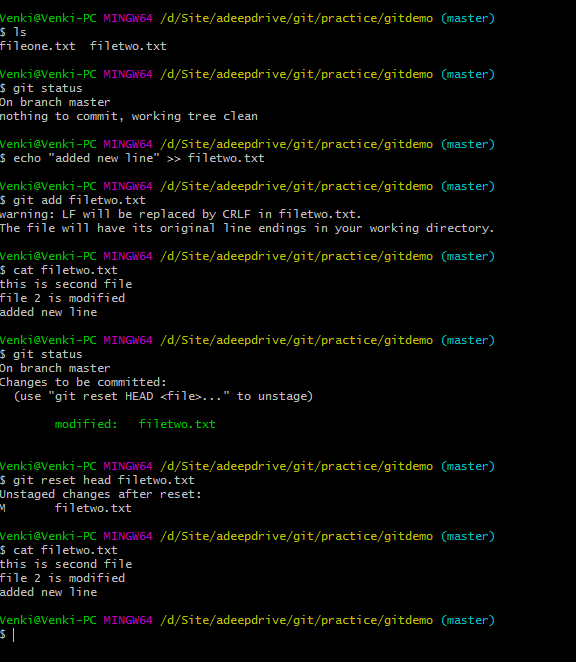
2) git reset Head <file-name>
These commands are very useful when we add the files to git. But later or before commit, we realize that mistakenly added the files to git. we should remove the files from git. The process of removing a file from staging area is called "Unstaging file" from git.
We will be discussing indepth in this tutorial.
Way 1) git rm --cached <file-name>:
This can be used in two ways.1) On the brand new file which is not on github.
2) On existing file which exists on github.
We will see how this command behaves on above 2 scenarios.
Case 1: rm --cached on new file which is not committed.
rm --cached <brand-new-file-name>is useful when we want to remove only the file(s) from staging area where this file is not available on github ever. After executing this command, the file remains in the local machine, it just unstaged from staging area.Example:
The below example is on the new file.Venki@Venki-PC MINGW64 /d/Site/adeepdrive/git/practice/gitdemo (master) $ ls fileone.txt Venki@Venki-PC MINGW64 /d/Site/adeepdrive/git/practice/gitdemo (master) $ echo "this is second file" >> filetwo.txt Venki@Venki-PC MINGW64 /d/Site/adeepdrive/git/practice/gitdemo (master) $ ls fileone.txt filetwo.txt Venki@Venki-PC MINGW64 /d/Site/adeepdrive/git/practice/gitdemo (master) $ git add filetwo.txt Venki@Venki-PC MINGW64 /d/Site/adeepdrive/git/practice/gitdemo (master) $ git status On branch master Changes to be committed: (use "git reset HEAD <file>..." to unstage) new file: filetwo.txt Venki@Venki-PC MINGW64 /d/Site/adeepdrive/git/practice/gitdemo (master) $ git rm --cached filetwo.txt rm 'filetwo.txt'Venki@Venki-PC MINGW64 /d/Site/adeepdrive/git/practice/gitdemo (master) $ git status On branch master Untracked files: (use "git add <file>..." to include in what will be committed) filetwo.txt nothing added to commit but untracked files present (use "git add" to track)
